




















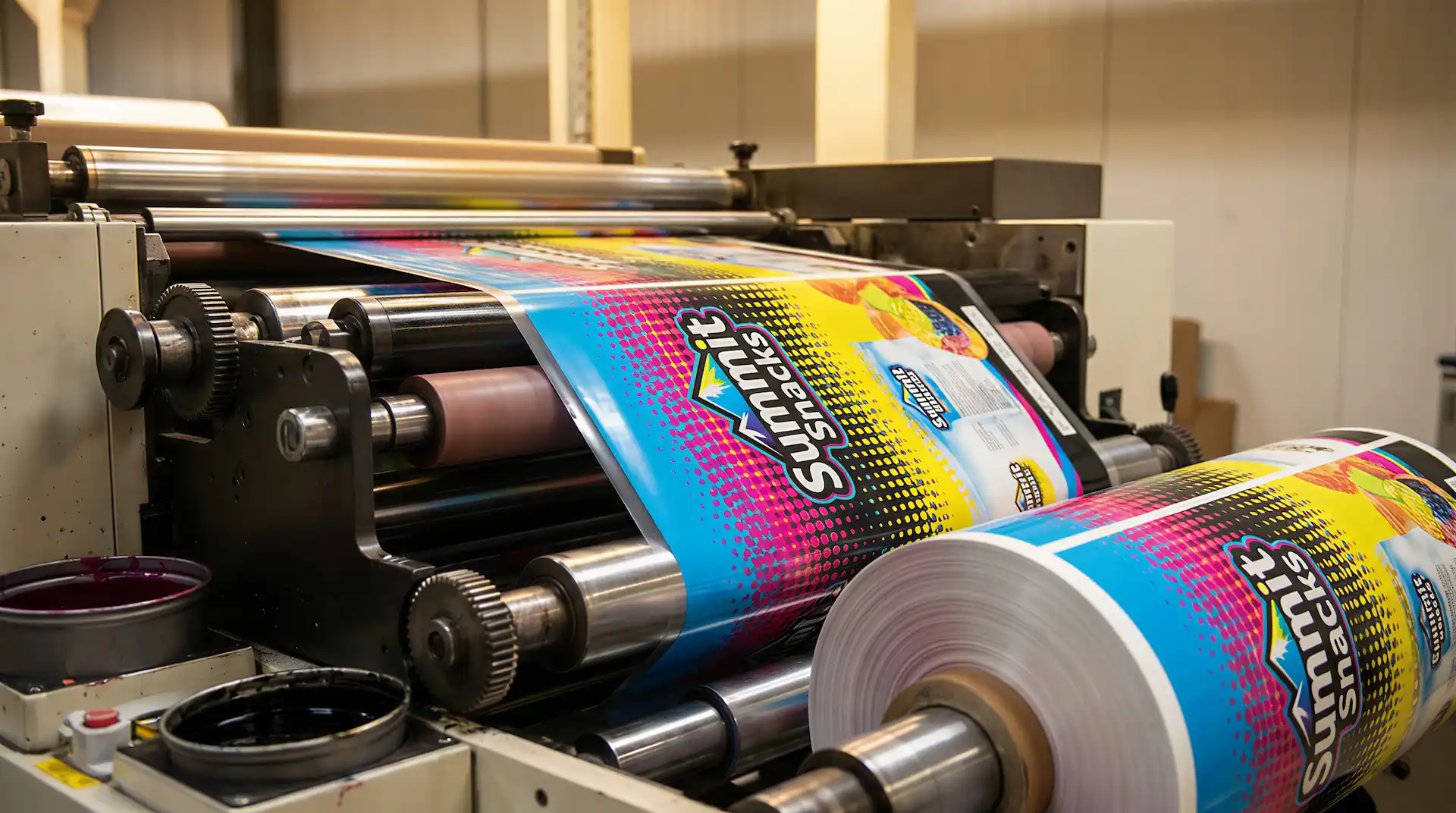
Have you ever looked at a printed package and noticed a tiny white line between two colors? That small gap can make your brand look unprofessional and it is often caused by a printing issue called misregistration. The fix? Trapping printing.
In this guide, you will learn exactly what trapping in printing means, why it matters so much for packaging, and how to avoid costly print mistakes that damage your brand image on the shelf.
Whether you are printing on pouches, labels, or flexible films, understanding trapping can save you from expensive reprints and embarrassing packaging failures. It is one of the most overlooked steps in prepress — but it is also one of the most important ones. Getting it right means your colors look clean, your brand looks professional, and your packaging stands out on the shelf for all the right reasons.
What Is Trapping in Printing?
Trapping in printing is a prepress technique used to prevent small white gaps from appearing between two colors that sit next to each other. During printing, each color is applied separately and even the tiniest material shift can create a visible gap where colors are supposed to meet.
To fix this, trapping slightly overlaps one color into the edge of the adjacent color. Here is what that means in practice:
- The overlap is extremely small — usually between 0.1mm and 0.3mm so the human eye never notices it in the final print.
- It acts as a safety net: if the material shifts on the press, the overlap covers the gap and the colors still look perfectly aligned.
- Trapping is set up during prepress, directly inside the artwork files, before anything goes to the press.
- Without it, even a perfectly designed artwork file can produce white gaps, color halos, or misaligned edges on the finished product.
Think of it like puzzle pieces fitting together trapping makes sure your colors always “connect,” no matter what happens on the press.
Why Is Trapping Important in Packaging?
Packaging is not just a container. It is the first thing a customer sees. A poorly printed package with white gaps or fuzzy edges can hurt your brand even if the product inside is excellent.
Here is why trapping matters so much in packaging:
- Branding: Your logo colors must look sharp and clean. Even a small gap between colors can make a logo look unfinished.
- Shelf appeal: Products on retail shelves compete for attention. Sharp, clean printing wins more customers.
- Product perception: High-quality printing tells the customer that your product is high quality too.
Ink traps are especially important for flexible packaging because materials like films, pouches, and labels behave differently than rigid materials. They can stretch, shift, and move — all of which increase the chance of misalignment.
If you are producing custom printed stand-up pouches or any other flexible format, correct trapping is essential for a clean, professional result.
How Trapping Works
Trapping works by slightly expanding one color into the edge of an adjacent color. The overlap is very small typically between 0.1mm and 0.3mm. This is called the trap width.
Here is a simple way to understand it:
- Color A (for example, yellow) and Color B (for example, blue) sit next to each other.
- Without trapping, if the press shifts even slightly, a white gap appears between them.
- With trapping, yellow slightly overlaps into the blue area (or vice versa). If the press shifts, the overlap covers the gap, and no white line is visible.
Prepress designers set up these overlaps in the trapping files before the job goes to press. Getting trapping files right is one of the most important steps in prepress preparation.
Types of Trapping in Printing
There are three main types of trapping used in printing:
1. Spread (Light into Dark)
The lighter color expands slightly into the darker color. Because the dark color is dominant, the expanded light color blends in and is not noticeable. This is the most common method.
2. Choke (Dark into Light)
The lighter color shrinks slightly, allowing the dark color to trap against it. This is used when a dark object sits on a lighter background.
3. Neutral Density Trapping
This method is based on how light or dark each color appears (its luminosity). When two colors are similar in brightness, a neutral density trap is applied along the edge to hide any misalignment.
These three methods cover almost every situation in printing trapping, from simple two-color logos to complex full-color packaging artwork. Understanding which method to use and when is what separates good prepress work from poor results.
What Causes Misregistration in Printing?
Misregistration is the root cause of the gaps that trapping fixes. It happens when the colors do not print in exactly the same position. Common causes include:
- Paper or film movement: The material shifts slightly as it passes through the press.
- Machine vibration: High-speed presses vibrate, which can cause tiny positional shifts.
- Ink behavior: Different inks dry and absorb at different rates, causing slight movement.
- Substrate differences: Materials like plastic films, foils, and paper all respond differently to heat, pressure, and tension during printing.
This is especially relevant in trapping printing for packaging, where the substrates are flexible and more prone to movement than rigid cardboard or paper.
Trapping in Different Printing Methods
Not all printing methods need the same level of trapping. Here is a quick breakdown:
Offset Printing
Offset printing uses metal plates and can be very precise. However, it still requires trapping, especially on longer print runs where material movement accumulates over time.
Flexographic Printing
Flexographic printing is widely used for flexible packaging pouches, films, labels, and bags. Because flexo printing uses rubber plates and fast press speeds, there is more chance of misregistration. This makes trapping in printing absolutely critical for flexo jobs.
Digital Printing
Digital printing is the most precise method available today. Because colors are applied in a single pass, misregistration is minimal. It requires little to no trapping in most cases which is one of its big advantages for packaging brands that need clean, detailed artwork.
Trapping for Flexible Packaging
Flexible packaging materials behave very differently from paper or cardboard. Films can stretch. Foils can shift under heat. Labels can expand and contract. All of these factors make trapping more important and more challenging.
Here is what trapping must account for in flexible packaging:
- Material stretch: Films and pouches can stretch slightly during filling and sealing. The trap must account for this movement.
- Ink adhesion: Some inks sit on top of flexible materials rather than absorbing into them, which can cause slight positional shifts.
- Substrate type: Laminated structures like those used in retort pouches require specific trap settings that differ from standard film packaging.
This is why working with an experienced packaging printer matters. If your trap values are wrong for the material you are using, you will see color gaps even on a perfectly running press. Choosing the right substrate from the start also plays a big role, and understanding your material options can help you and your printer set the correct trap values before production begins.
Common Trapping Mistakes to Avoid
Even experienced designers make trapping mistakes. Here are the most common ones:
- Too much trapping: If the overlap is too large, you will see a visible colored edge or halo around elements. This looks just as bad as a white gap.
- Too little trapping: Not enough overlap means white gaps will appear on press, especially on flexible substrates.
- Wrong color priority: Choosing the wrong color to expand can create muddy edges where colors mix incorrectly.
- Ignoring the substrate: Trapping values that work for paper may be completely wrong for plastic film or foil.
Always make sure your trapping files are set up specifically for the material and printing method being used. A good practice is to review the art setup guidelines before submitting files to your printer.
Best Practices for Perfect Trapping
Follow these best practices to get clean, professional results every time:
- Use prepress software: Programs like Adobe Illustrator, Esko, or dedicated RIP software can apply trapping automatically.
- Test print before production: Always do a test print or digital proof before running a full order.
- Work with professional printers: An experienced printer will flag trapping problems before they reach the press.
- Use the correct trap width: Standard trap width is 0.1mm to 0.3mm, but this varies by material and press type. Ask your printer for their recommended values.
- Review your trapping files carefully: Make sure every element logos, text, illustrations is properly trapped before sending to production.
Trapping vs Overprinting Explained: When and Why to Use Each
Trapping and overprinting are often confused, but they are different techniques:
| Feature | Trapping | Overprinting |
| What it does | Overlaps two adjacent colors slightly to prevent visible gaps caused by misregistration. | Prints one color directly on top of another without knocking out the color beneath. |
| When to use it | When two colors sit next to each other and might shift slightly during printing. | When one color should overprint (not remove) the color below, often for text, dark inks, or special effects. |
| Result | No visible gap between colors; edges align smoothly. | Colors mix where they overlap, producing a blended or darker tone. |
Trapping is used to prevent gaps. Overprinting is used to layer colors. Both are important tools in prepress work, but they serve different purposes. Choosing the wrong one can cause major color problems in the final print.
When Do You NOT Need Trapping?
There are situations where trapping is not necessary:
Digital printing: As mentioned, digital presses print all colors in a single pass, which eliminates most misregistration risk.
High-precision presses: Some modern flexo and offset presses are so accurate that trapping needs are minimal.
Black text on white background: Small black text on a plain white background usually does not need trapping because any misalignment is not visible.
However, even in these cases, it is always better to discuss your file setup with your printer before production.
Real-World Example
Imagine you are printing a product logo on a flexible stand-up pouch. The logo has a yellow sunburst and a red background. Without trapping, if the press shifts by even 0.2mm, a visible white line appears between the yellow and red right in the center of your logo.
With proper trapping set up in the art file, the yellow slightly expands into the red. The press shifts but no white gap appears. Your logo looks sharp and clean, exactly as designed.
This is the difference trapping makes. It is a small step in prepress, but it has a major impact on final print quality.
Conclusion
Trapping in printing is a small but powerful technique that keeps your packaging looking sharp, professional, and print-ready. It prevents unwanted white gaps, protects your brand image, and ensures that colors align perfectly even when materials shift during the printing process.
For a detailed guide on trapping techniques and industry standards, check out this Adobe guide on trapping.
Stop Letting Bad Trapping Ruin Your Packaging
Your brand deserves packaging that looks exactly as designed sharp colors, clean edges, zero white gaps. Our prepress team reviews every file before it ever hits the press, so what you approve is exactly what you get.
FAQs
Q1: What is trapping in printing?
Trapping is a prepress technique where two adjacent colors are slightly overlapped to prevent white gaps from appearing due to misregistration on the press.
Q2: Why is trapping important in packaging?
Packaging materials like films and pouches can shift or stretch during printing. Trapping ensures colors still align perfectly even when slight movement occurs.
Q3: What is the difference between trapping and overprinting?
Trapping overlaps two adjacent colors to prevent gaps. Overprinting prints one color directly on top of another, allowing the colors to mix.
Q4: What are trapping files?
Trapping files are the print-ready artwork files that include the color overlap settings. These are set up during prepress before the job goes to press.
Q5: How much trapping is needed?
A typical trap width is between 0.1mm and 0.3mm, depending on the printing method and the substrate material being used.
Q6: Does digital printing require trapping?
Digital printing requires little to no trapping because all colors are applied in a single pass, greatly reducing the risk of misregistration.
Q7: What is an ink trap?
An ink trap is the overlapping area where two colors meet. It is the zone that “catches” any misalignment and prevents white gaps from showing in the final print.